How Samsung’s One UI 8 Will Deliver Unmatched Security

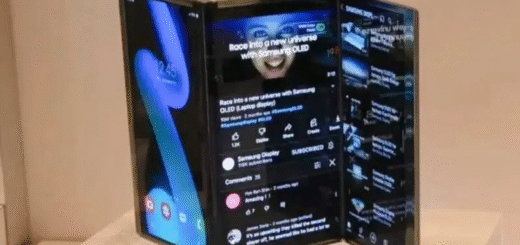
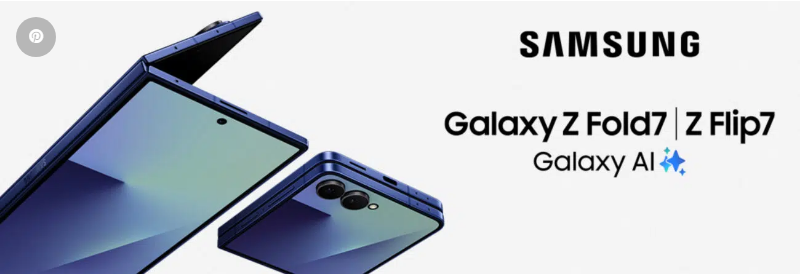
Samsung is set to unveil the Galaxy Z Fold 7, Z Flip 7, and Z Flip 7 FE tomorrow, bringing not just design upgrades but also the latest One UI 8 software. While Android 16’s arrival might feel surprisingly fast—especially after the slow rollout of Android 15—Samsung is already pushing forward with major security enhancements in its new OS.
Security might not be the flashiest feature on a spec sheet, but Samsung is making it a top priority in One UI 8. Here’s how the company is strengthening privacy and protection for users.
Samsung’s Next-Level Security Upgrades in One UI 8
In today’s world, where AI processes everything from your voice to your documents, smartphone security has never been more critical. Samsung is addressing these risks head-on with One UI 8, introducing several new features to keep users safe.
1. Knox Enhanced Encrypted Protection (KEEP)
Samsung’s new KEEP (Knox Enhanced Encrypted Protection) architecture creates isolated, encrypted storage spaces for each app. This prevents apps from accessing data belonging to other applications, significantly reducing the risk of leaks or breaches.
KEEP also integrates with Samsung’s Personal Data Engine, ensuring highly sensitive information—like your device habits, routines, and preferences—remains secure. Unlike many AI-driven features, this data won’t be uploaded to the cloud, even when used with Galaxy AI.
2. Knox Matrix: Multi-Device Security
Knox Matrix extends protection beyond your phone, securing all connected Galaxy devices—including tablets, smartwatches, and PCs. If a device detects a serious threat, it will automatically log out of your Samsung account, cutting off access to cloud services and preventing the threat from spreading.
3. Secure Wi-Fi with Post-Quantum Encryption
Public Wi-Fi networks are a major security risk, but One UI 8’s Secure Wi-Fi now includes Post-Quantum Enhanced Data Protection. This upgrade uses quantum-resistant encryption to safeguard your data, ensuring it stays secure even against future quantum computing threats.
Additional Secure Wi-Fi features include:
- Auto Protect: Automatically secures public Wi-Fi connections without manual input.
- Enhanced Privacy Protection: Encrypts internet traffic and blocks tracking attempts.
- Protection Activity: Lets you monitor which apps and networks were secured, along with the amount of encrypted data.
Final Thoughts
With One UI 8, Samsung isn’t just improving performance—it’s setting a new standard for mobile security. From quantum-proof encryption to cross-device protection, these upgrades ensure Galaxy users stay safer than ever.