That Alarming T-Mobile Text Was Actually About Account Permissions
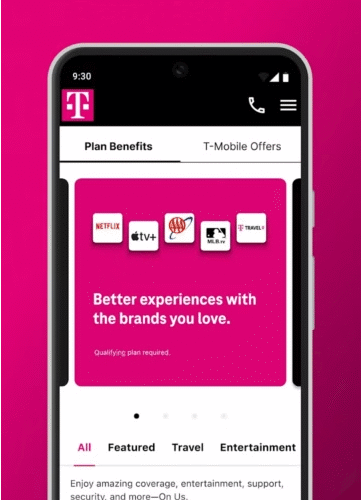
No, someone isn’t repeatedly trying to break into your T-Mobile account.
If you recently received a text from T-Mobile stating that “other users on your account don’t have permissions for self-service access,” don’t be alarmed. The message wasn’t a scam or a fraud alert. Instead, T-Mobile was rolling out a broad educational campaign to clarify that only the primary account holder can make changes to the account—and that you can grant “Authorized User” status to others if you’d like to give them that ability.Still, the text caused quite a stir. It’s a perfect example of how a message can sound more like a warning than a simple notice when it lacks context. Even some T-Mobile support agents initially gave conflicting responses, adding to the confusion. But the message was, in fact, legitimate.

Here’s what T-Mobile really meant:
T-Mobile’s latest security update is meant to encourage customers to better manage authorized user roles. The confusion stemmed from the fact that there are two levels of account access.
One tier allows users to view account details or log into the T-Mobile app with limited permissions. The other—Authorized User—grants full privileges to make changes. Some customers who believed they’d removed someone from their account were surprised to learn that person still had basic online access, which triggered concern.However, by default, other users on your account are restricted to basic activities. Until you, the primary account holder, officially upgrade their permissions via the T-Mobile app or website, they can’t make meaningful changes.
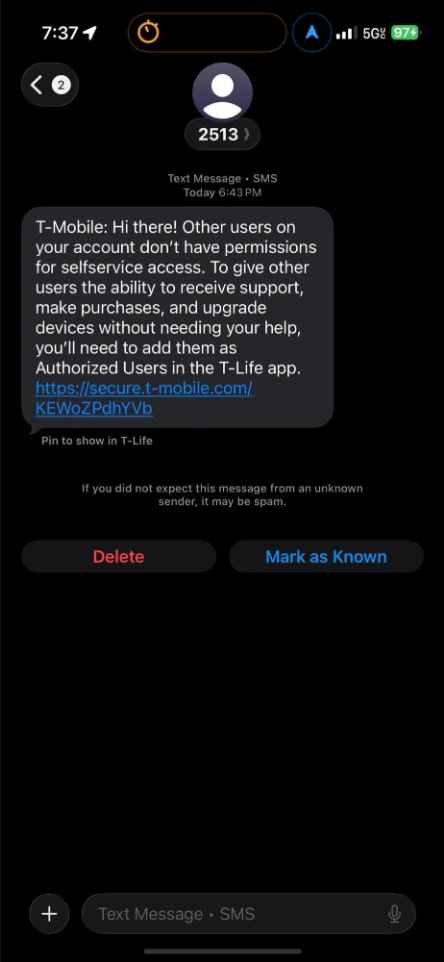
For example, if someone on your account walks into a T-Mobile store and tries to upgrade their phone, the representative will stop them. The system automatically blocks unauthorized changes. The same applies over the phone—customer service agents can only provide basic account info, not process upgrades or add new lines.This approach is designed to reduce friction and prevent friends or family from accidentally—or intentionally—altering your account settings. It works much like how credit card companies handle authorized users: an authorized user can make purchases and enjoy benefits, but the primary cardholder remains responsible for the bill.

Why the panic isn’t totally unreasonable:
Given T-Mobile’s track record, it’s understandable why customers reacted with suspicion. Just last year, the company was hit with a record $60 million fine from the FCC—the largest ever imposed by the commission—for failing to prevent and report unauthorized access to sensitive customer data.
The breach was linked to the complex Sprint merger, where technical issues during integration exposed certain law enforcement data requests. Although T-Mobile stated that the data remained within law enforcement channels and was quickly contained, the incident highlighted ongoing concerns around the carrier’s data security practices.How to take control of your account access:
If you want to review or adjust permissions yourself, it’s easy. Open the T-Mobile app, tap “Manage” at the bottom, then select the gear icon for Settings.
Under “Permissions & Controls,” you’ll find “User Roles.” This screen displays every line on your account, with your role clearly marked as Primary Account Holder. From here, you can grant or revoke authorized user status at any time.